 Junayed Leon

Boost Post vs Ads Manager is the first choice every small business in Bangladesh makes on Facebook. Boost Post is the quick blue button under your post. Ads Manager is Meta’s full advertising tool. Both use the same ad account and the same auction. However, they give you very different control over who sees your ad and what you get for your money.
In short, boost a post when you want quick reach on content that already works. Use Ads Manager when you want messages, leads or sales you can measure. This guide explains the difference, shows when to use each one, and helps you spend your taka wisely in 2027.
What Is Boost Post?
Boost Post turns a post that is already live on your Facebook Page or Instagram account into an ad. You pick a goal, an audience, a budget and a duration on one simple screen. After that, Meta shows the post to more people.
It is fast and beginner friendly. However, the options are limited. For example, you cannot choose exactly where the ad appears. After review, you also cannot edit the text, images or video. To change them, you have to boost a new post.
What Is Meta Ads Manager?
Ads Manager is Meta’s full tool for creating and managing ads on Facebook, Instagram, Messenger and WhatsApp. It splits every ad into three levels: campaign, ad set and ad. As a result, each level gives you more control.
For example, you can choose a clear objective such as sales or leads, then select placements and test several images in one campaign. You can also track purchases with the Meta Pixel and Conversions API. As a result, Meta’s system can optimize for buyers instead of people who only like posts.
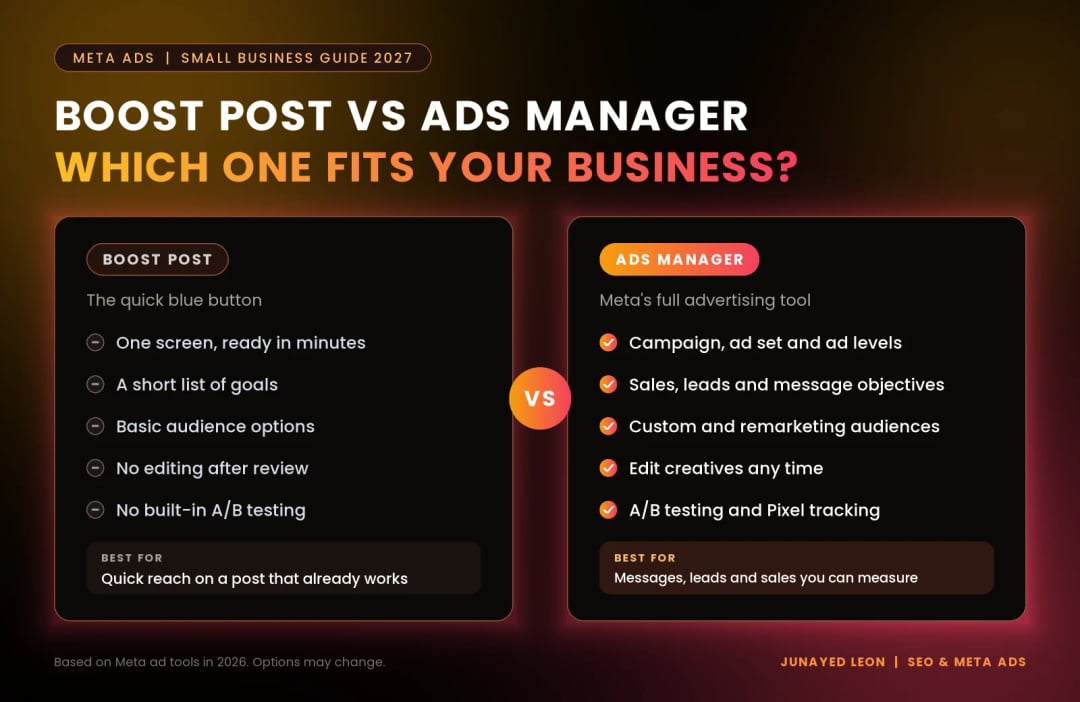
Boost Post vs Ads Manager: Key Differences
The table below compares Boost Post vs Ads Manager feature by feature.
| Feature | Boost Post | Ads Manager |
|---|---|---|
| Where you start | A post already live on your Page or Instagram | A new ad, or an existing post |
| Setup | One simple screen | Campaign, ad set and ad levels |
| Goals | A short list, such as messages, visits or engagement | Full objectives, including sales and leads |
| Audience | Basic: location, age, gender, interests | Advanced: custom, lookalike and remarketing audiences |
| Placements | Chosen for you | You can choose or let Meta decide |
| Editing after review | Not possible | Text, image and button can be changed |
| A/B testing | Not built in | Test several creatives or audiences |
| Purchase tracking | Limited | Full, with Pixel and Conversions API |
Both tools bill from the same ad account. So in the Boost Post vs Ads Manager decision, the real difference is not the price per click. Instead, it is how much control you have over results.
Boost Post vs Ads Manager: When to Boost a Post
Boost Post is the right choice in a few clear situations, for example:
- A post is already doing well. If an organic post gets strong likes and comments, a small boost can push it further.
- You want quick awareness. For example, a new shop opening, an Eid offer or a weekend sale.
- You are completely new to ads. Boosting is a simple way to learn how audiences, budgets and results work.
- You have very little time. A boost takes only a few minutes to set up.
Even so, boost with a clear goal. If you want messages, pick the messages goal, not engagement. Otherwise, you may pay for likes that never become orders.
When Should You Use Ads Manager?
Ads Manager makes more sense once your business depends on ads for sales:
- You want orders, not just reach. Ads Manager lets Meta optimize for purchases, leads or message conversations.
- You run a website or online shop. With the Pixel installed, you can see which ad brought each sale.
- You want to reach past visitors again. Remarketing audiences only exist in Ads Manager.
- You want to test. Run two or three images or offers at once and keep the winner.
- You manage ads for clients. Agencies and freelancers need the full reporting.
Of course, Ads Manager takes more time to learn. However, a simple campaign with one objective, one audience and two creatives is enough to start.
Boost Post vs Ads Manager for Small Businesses in Bangladesh
Most small businesses in Bangladesh sell through a simple loop. First, customers find a product on Facebook. Then they send a message, confirm the order on WhatsApp and pay through bKash. One industry estimate puts the number of Facebook-based businesses in the country at more than 500,000.
For this kind of business, the Boost Post vs Ads Manager question is simple: does your ad bring conversations that turn into orders? Ads Manager answers that better, because you can choose a messaging objective, test creatives and compare cost per order.
In addition, paying is easier now. Since September 2026, businesses in Bangladesh can pay for Meta ads with bKash instead of a foreign-currency card. If you have not set this up yet, read my step by step guide on how to pay for Facebook ads with bKash.
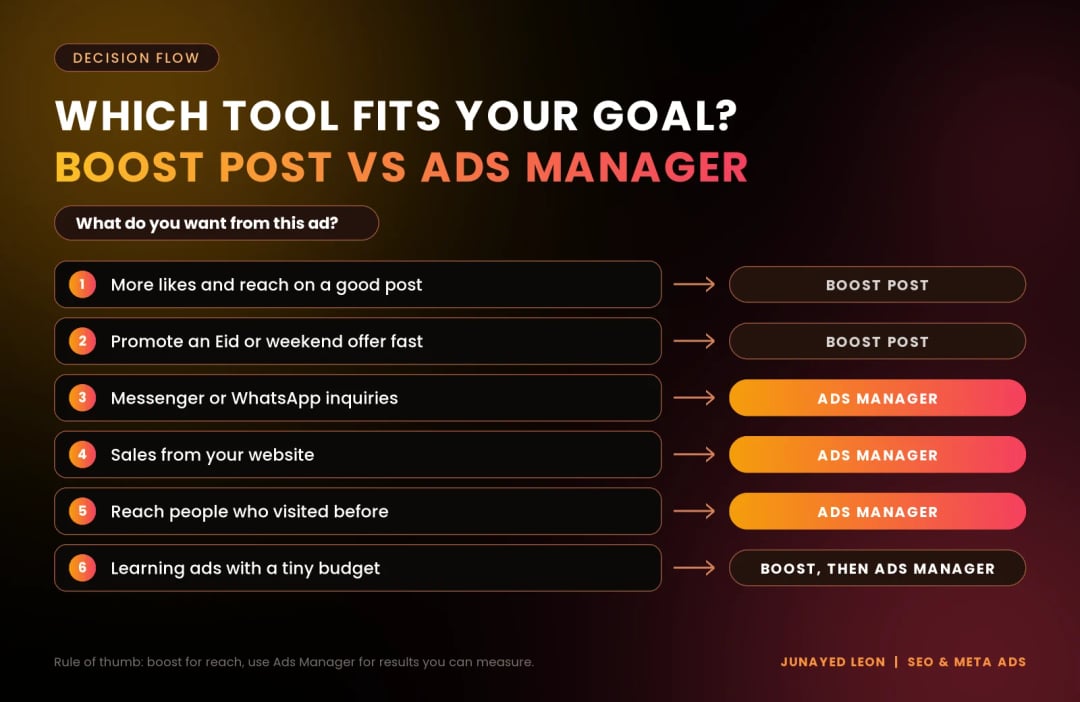
Boost Post vs Ads Manager: Pick by Your Goal
Use this table to match your goal to the right tool.
| Your goal | Better choice | Why |
|---|---|---|
| More likes and reach on a good post | Boost Post | Fast and simple |
| Promote an Eid or weekend offer quickly | Boost Post | Ready in minutes |
| Get Messenger or WhatsApp inquiries | Ads Manager | Message objective and testing |
| Sell from a website | Ads Manager | Pixel tracking and purchase optimization |
| Reach people who visited before | Ads Manager | Remarketing audiences |
| Learn ads with a very small budget | Boost Post, then Ads Manager | Start simple, then grow |
How to Start With a Small Budget
Start small in either tool. For example, a daily budget of 300 BDT for seven days totals 2,100 BDT. Because of this, you can usually see which ad gets responses. This figure is an example, not a benchmark.
Next, track one number: cost per result. To find it, divide what you spent by the number of results. If you spend 2,000 BDT and get 40 messages, each message costs 50 BDT. Then, if 8 of those turn into orders, each order costs 250 BDT. Finally, compare that with your profit per order before you raise the budget.
Common Mistakes to Avoid
- Boosting for engagement when you want sales. Likes rarely pay the bills.
- Boosting every post. Spread budgets get weak results, so pick your best post instead.
- Choosing very narrow interests. Also, small audiences often cost more.
- Changing settings every day. Give each ad a few days before you judge it.
- Ignoring Ads Manager reports. Even boosted posts show results there, so check them weekly.
If you are also weighing Meta against Google, see my comparison of Facebook Ads vs Google Ads for 2027.
Final Thoughts
The Boost Post vs Ads Manager choice is not about which tool is better overall. Instead, it is about which tool fits your goal. For example, Boost Post is great for quick reach on content that already works. Ads Manager is better when you need messages, leads and sales you can measure. So start simple, track cost per result, and move to Ads Manager as soon as your ads need to make money.
Not sure whether to boost or build a campaign? Message me for a free Meta Ads account review, and I will tell you which setup fits your business.

How to Pay for Facebook and Instagram Ads with bKash in Bangladesh (Step by Step)
Black Friday 2026 Paid Ads Checklist: Google, Meta and TikTok Changes to Set Now
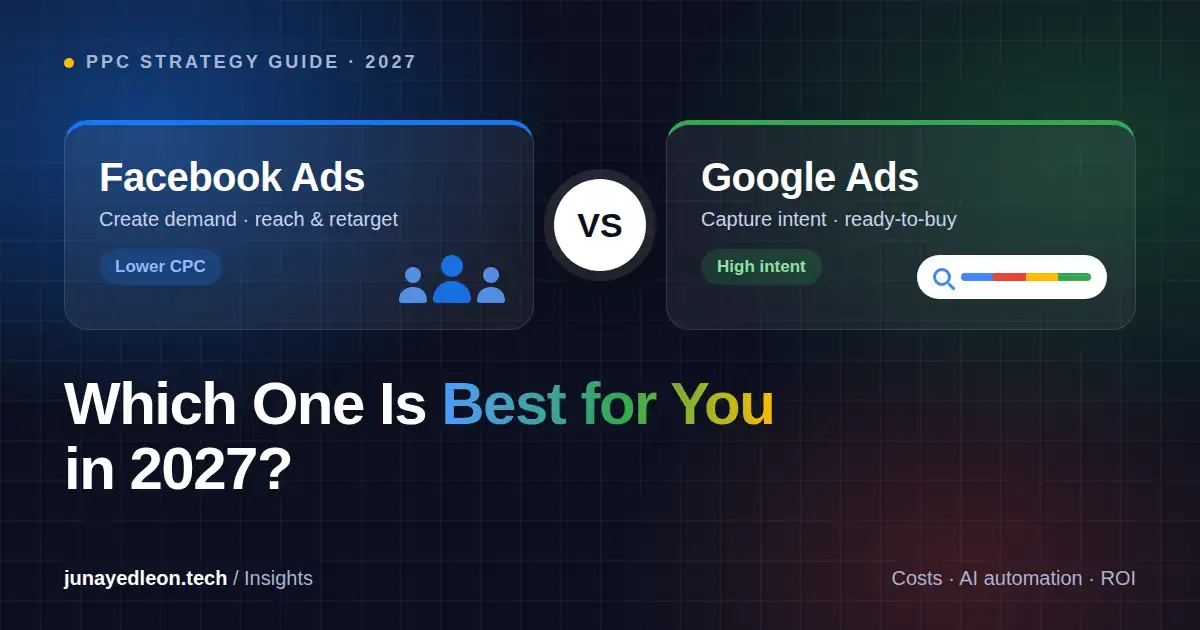
Facebook Ads vs Google Ads: Which One Will Be Best for You in 2027?