 Junayed Leon
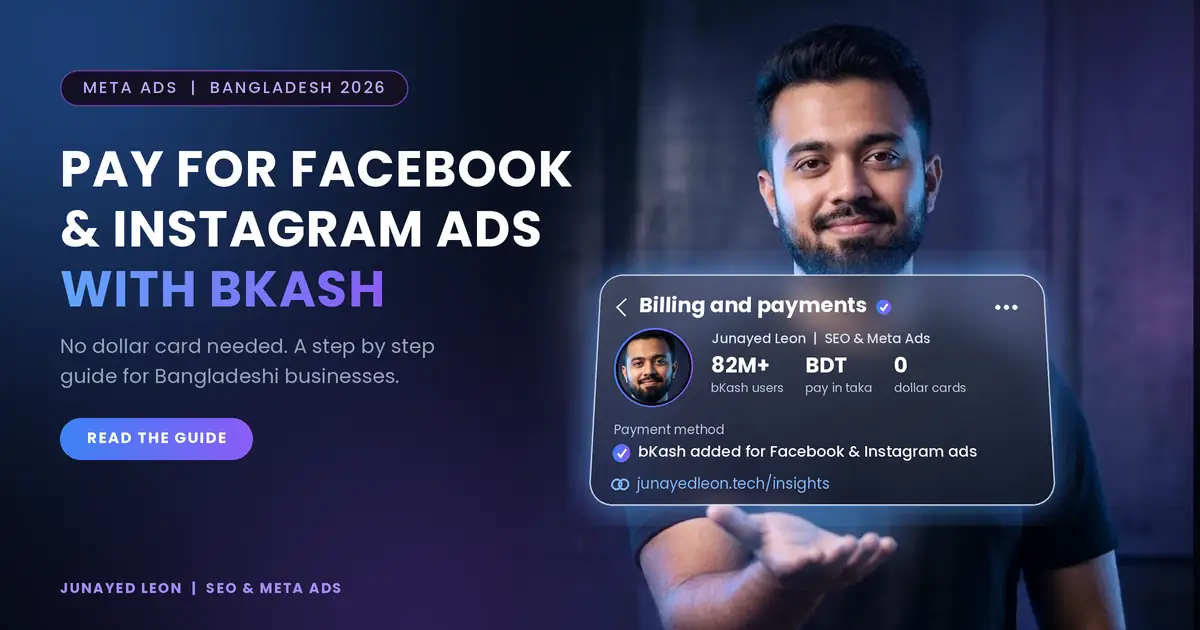
You can now pay for Facebook ads with bKash in Bangladesh, and the same option works for Instagram ads. First, open your Meta Ads account settings. Next, add bKash as a payment method and confirm it. After that, you can fund your campaigns in taka, so you no longer need a foreign-currency credit card.
This guide walks you through every step. It also explains who benefits most and how to start with a small, safe budget.
What Changed When You Pay for Facebook Ads with bKash
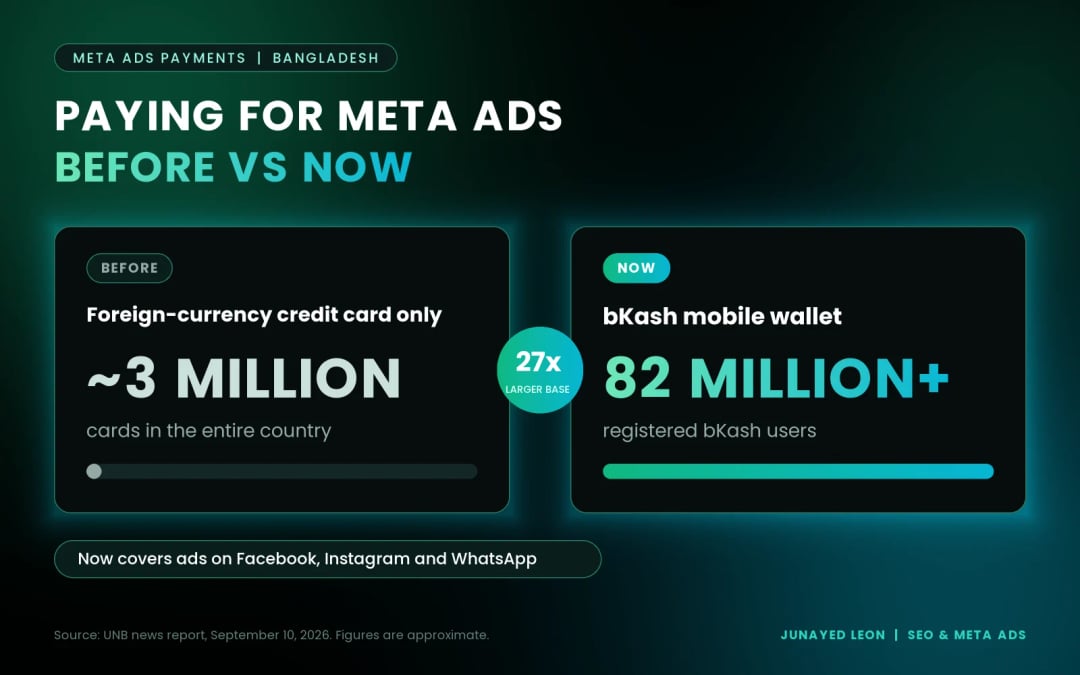
For years, the biggest barrier to Meta advertising in Bangladesh was not creativity or budget. Instead, it was payment. Until the recent launch, businesses could pay for ads on Meta platforms only with a foreign-currency credit card. However, the country has only about 3 million cards. As a result, many small and first-time advertisers had no practical way to pay.
bKash changes that. It has more than 82 million registered users, so it reaches close to half of the population. The option was announced in September 2026 at an AI innovation event in Dhaka. LightCastle Partners hosted the event in partnership with Meta. Also, the option covers ads on Facebook, Instagram and WhatsApp.
Credit Card vs bKash: Quick Comparison
Here is how the two payment options compare for Bangladeshi advertisers.
| Factor | Credit card (before) | bKash (now) |
|---|---|---|
| Who can use it | Only businesses with a foreign-currency card | Any business that adds bKash in Meta Ads settings |
| Reach in Bangladesh | About 3 million cards | More than 82 million registered users |
| Foreign currency needed | Yes | No |
| Fit for small advertisers | Often poor | Strong |
| Platforms covered | Meta platforms | Facebook, Instagram and WhatsApp |
These figures are approximate and come from news reports on the September 2026 launch.
Who Should Pay for Facebook Ads with bKash
This option helps most if you are one of these advertisers:
- Small shop owners who sell through a Facebook Page and take orders by inbox or WhatsApp
- First-time advertisers who do not own a dollar card
- Freelancers and agencies who run ads for local clients and want to fund accounts in taka
- Home-based entrepreneurs who already use bKash for daily sales
Social commerce in Bangladesh follows a simple loop. For example, customers find a product on Facebook and message the seller. Then they confirm the order on WhatsApp and pay through bKash. Because of this, it feels natural to pay for Facebook ads with bKash from the same wallet. In addition, one industry estimate puts the number of Facebook-based businesses at more than 500,000. So the potential audience for this change is large.
What You Need Before You Start
Before you pay for Facebook ads with bKash, check that you have these four things:
- A Facebook Page for your business
- A Meta Ads account, created through Meta Business Suite or Ads Manager
- An active bKash account with enough balance for your first budget
- Your phone and bKash PIN, in case you need to confirm the payment
How to Pay for Facebook Ads with bKash: Add It to Your Meta Ads Account
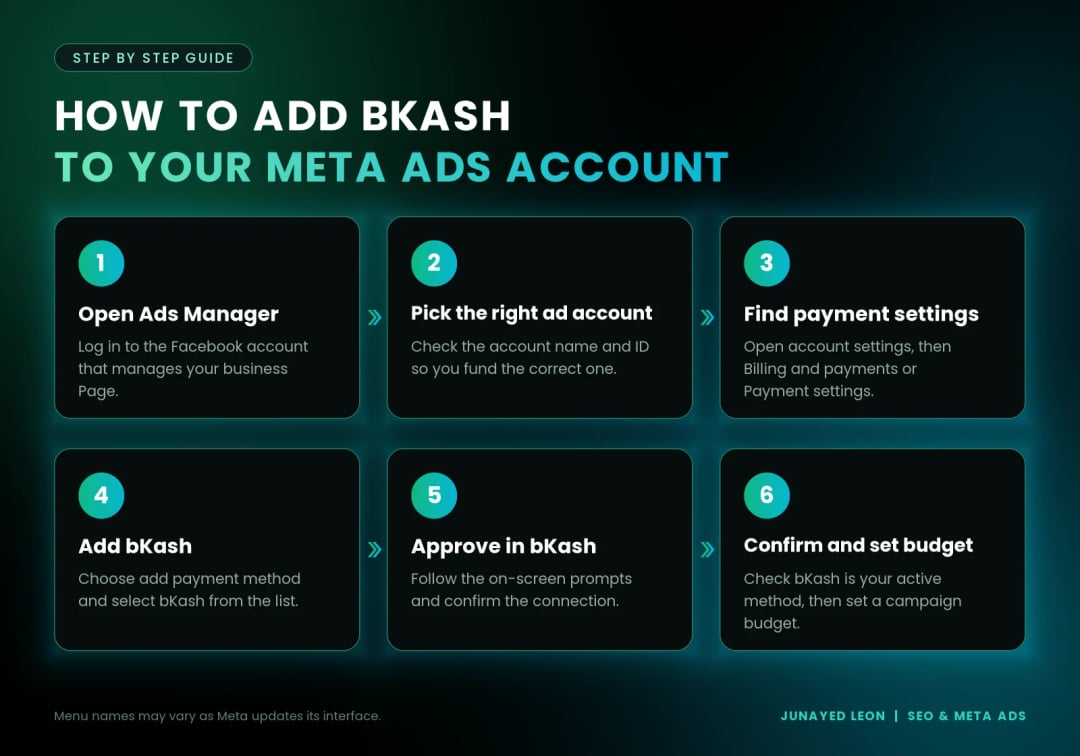
- Log in to the Facebook account that manages your business Page, then open Meta Ads Manager.
- Select the correct ad account. Also, check its name and ID so you do not fund the wrong one.
- Open your account settings and find the billing section. Meta may label it Billing and payments or Payment settings.
- Choose to add a payment method, then select bKash from the list.
- Follow the on-screen prompts and approve the connection through bKash.
- Save your changes and confirm that bKash shows as your active payment method. Finally, set your campaign budget.
Menu names can change slightly as Meta updates its interface. So follow the closest matching option. If bKash does not appear, first confirm that your ad account is set up for Bangladesh. The option may not reach every account at the same moment. Therefore, if it is still missing, contact Meta support instead of using an unofficial top-up service. Once it works, you can pay for Facebook ads with bKash for every new campaign on that account.
How Much Should You Spend on Your First Campaign?
When you first pay for Facebook ads with bKash, start with a budget you can afford to lose while you learn. For instance, a small daily budget over five to seven days gives you enough data to see what works. At the same time, it keeps your cash flow safe. A daily budget of 300 BDT for seven days totals 2,100 BDT. Later, once you know which ad brings real orders, you can raise it.
Set Up Your First Campaign the Right Way
First, pick a goal that matches how customers buy. If orders arrive through Messenger or WhatsApp, run ads that start a message conversation. On the other hand, if you have a website, send people there and track purchases.
Next, keep your audience simple. Choose your delivery area, an age range and a few interests tied to your product. Very narrow targeting can limit reach and raise costs, so keep the audience fairly broad at the start.
Finally, write in the language your customers use, which is often Bangla. Show the product clearly, state the price and delivery area, and tell people exactly how to order. For more ideas on creative angles, read my guide on creative hooks and the Advantage+ playbook.
Boost Post or Ads Manager?
Many beginners tap the blue Boost Post button because it is fast. However, Ads Manager gives you far more control over results, even though it takes longer to learn.
| Factor | Boost Post | Ads Manager |
|---|---|---|
| Setup speed | A few taps | More steps |
| Choice of objective | Limited | Full control |
| Audience and placements | Basic options | Detailed options |
| Best for | A quick lift on a post that already performs well | Sales, leads and message campaigns |
| Main risk | Views without orders | Takes time to learn |
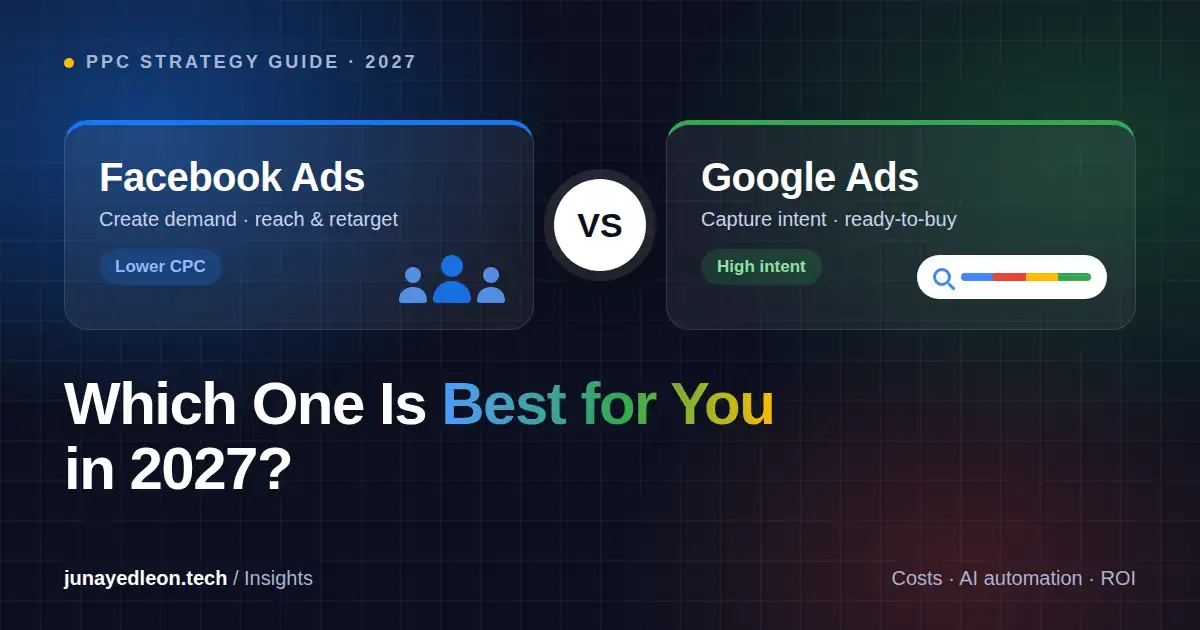
Whichever tool you use, compare the cost per result. That way, you know which one earns its budget. If you are still choosing between platforms, see my comparison of Facebook Ads vs Google Ads for 2027.
How to Tell If the Facebook Ads You Pay for with bKash Are Working
Track one simple number: cost per result. To find it, divide the amount you spent by the number of results you got. For example, if you spend 2,000 BDT and receive 40 messages, your cost per message is 50 BDT. Then, if 8 of those messages turn into orders, your cost per order is 250 BDT.
Next, compare that figure with your profit on each order. If you earn more than you pay to win the order, the campaign is worth continuing. Otherwise, change the creative, the offer or the audience before you add more money.
Common Mistakes to Avoid
Most problems people face when they pay for Facebook ads with bKash come from a few simple mistakes:
- Funding the wrong ad account. Always check the account name and ID before you add money.
- Spending without a goal. Decide whether you want messages, leads or purchases before you launch.
- Running one creative only. Test two or three versions of the image or video, so you can see which one people prefer.
- Ignoring ad policies. Meta can reject or restrict ads that break its rules, and that delays your campaign.
- Trusting unofficial top-up sellers. Add funds only through the payment settings inside your own Meta Ads account.
In addition, stay alert to scams. Fake offers that use the bKash name appear on social media. So never share your PIN or one-time code with anyone, even if they claim to work for Meta or bKash.
Final Thoughts
The ability to pay for Facebook ads with bKash removes one of the biggest obstacles for Bangladeshi small businesses. You no longer need a foreign-currency card to reach customers on Facebook and Instagram. So start small, track your cost per result, and scale only what brings real orders.
Want help planning your first bKash-funded campaign or fixing one that is not converting? Message me for a free Meta Ads account review.
Boost Post vs Ads Manager for Small Businesses in Bangladesh (2027 Guide)
Black Friday 2026 Paid Ads Checklist: Google, Meta and TikTok Changes to Set Now
Facebook Ads vs Google Ads: Which One Will Be Best for You in 2027?